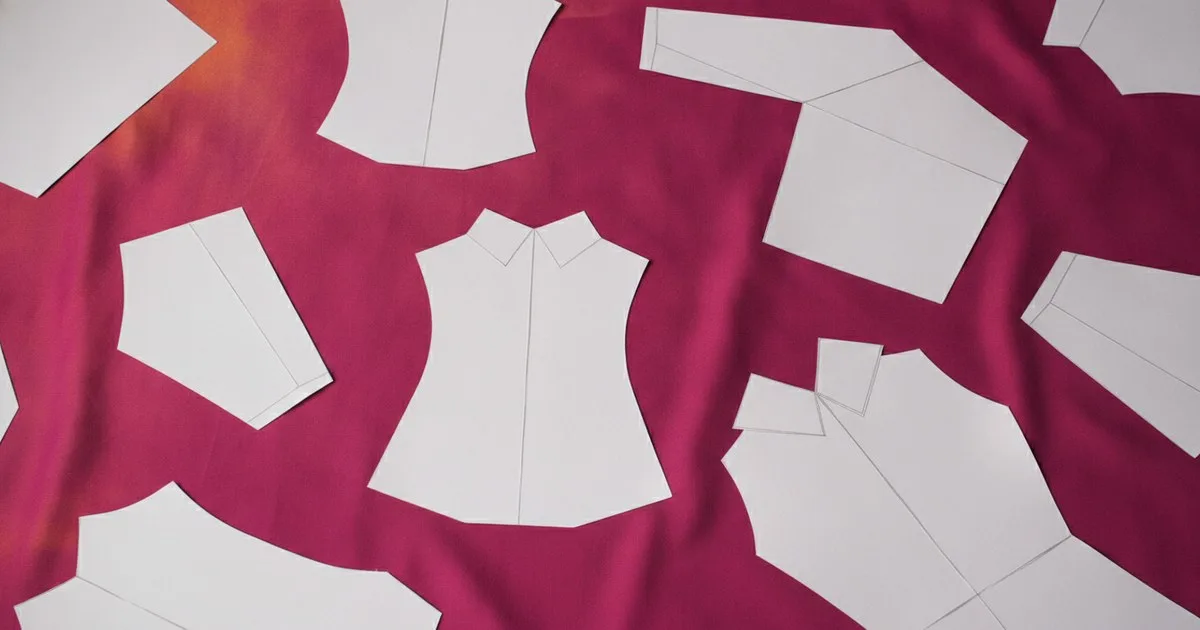
The pattern-automation software market has quietly split into four distinct segments: the established 2D/3D CAD platforms that anchor most mid-to-large production floors, the open-source parametric drafters that serve independent makers, the AI-native generators aimed at indie designers who want to skip CAD entirely, and the enterprise systems that train on a brand's own archive. Knowing which segment you are buying into matters more than any feature checklist.
Key takeaways
- The CAD incumbents offer the most complete production pipelines but carry significant licensing and training costs.
- Open-source parametric drafting gives small studios professional-grade tools at no software cost, with community support as the trade-off.
- AI-native generators reduce time-to-first-pattern dramatically for indie designers, but output quality depends on how well the tool handles construction logic.
- Enterprise archive-learning systems are a different category entirely: they do not replace CAD, they compound the institutional knowledge already locked in a brand's DXF library.
- Segment fit matters more than feature counts — a solo pattern maker and a fifty-person technical design team have almost no overlap in what they need.
What are the main segments in pattern-automation software?
Before comparing individual tools, it helps to name the four segments clearly:
- 2D/3D CAD incumbents — full-suite platforms covering patternmaking, grading, marker making, and 3D simulation. Priced for production teams.
- Open-source parametric drafters — community-maintained applications that let you encode construction rules as formulas. Free to use; support is community-driven.
- AI-native generators — tools that produce a starting pattern from a sketch, image, or text prompt. Built for speed and accessibility, not for production-floor integration.
- Enterprise archive-learning systems — platforms that ingest a brand's existing DXF pattern library and use it to generate new patterns, tech packs, and 3D previews inside a private environment.
The 2D/3D CAD incumbents
Optitex
Optitex ships an integrated 2D/3D CAD and CAM suite that covers patternmaking, grading, nesting, 3D simulation and visualisation, fit analysis, and cloud-based collaboration through its O/Cloud platform. The system is used across fashion, transportation seating, and furniture — an unusually broad industrial footprint that reflects how deeply its simulation engine is trusted for technical applications.
For a fashion brand, the practical value is end-to-end: a pattern maker can draft in 2D, push the block to 3D simulation, run fit analysis, and send a nested marker to the cutting room without leaving the platform. The simulation engine has been expanding its capabilities to serve broader supply-chain digital workflows.
Best for: Mid-to-large brands and manufacturers that need a single platform from first block to cut file, with 3D fit validation built in.
Limits: Enterprise licensing and the depth of the toolset mean a meaningful onboarding investment. It is not a tool you open on day one and use fluently.
TUKAcad
TUKAcad, made by Tukatech, is the 2D patternmaking, grading, and marker-making CAD application in a wider product family that also includes TUKA APM (automatic pattern making from a spec sheet), TUKA3D (3D apparel fit and virtual design), SMARTmark (marker making and material planning), and TUKAcloud, a web-based digital sample room that functions as a lightweight PLM.
The TUKA APM module is worth noting separately: it takes a spec sheet as input and generates a graded pattern automatically. For brands running high-volume basics, that single capability can compress the sampling cycle in ways that are hard to achieve with purely manual CAD.
Best for: Brands that want a modular ecosystem — they can start with CAD and add automatic pattern generation or 3D as the operation scales. Strong fit for mid-market manufacturers running spec-driven production.
Limits: The breadth of the product family means choosing the right modules requires a considered evaluation. Teams that only need 2D CAD may find the ecosystem larger than necessary.
The open-source parametric drafter
Seamly2D
Seamly2D is an open-source parametric 2D pattern drafting application available on Windows, Mac, and Linux. The parametric approach means patterns are encoded as formulas — change a measurement variable and the entire block updates. Output formats include PDF and SVG.
For a pattern maker who wants to build a reusable, formula-driven block library without a software subscription, Seamly2D is the most capable free option in this comparison. The community around it is active, and the open-standards orientation means files are not locked to a proprietary format.
Best for: Independent pattern makers, small studios, fashion educators, and custom/made-to-measure operations that want parametric drafting without licensing costs.
Limits: No built-in 3D simulation, no grading automation at production scale, and no native DXF export pipeline. Support is community-driven rather than vendor-backed, which matters when a deadline is close.
AI-native generators for indie designers
This segment is the fastest-moving part of the category. The tools below are built for designers who want a pattern quickly from a visual or text input — not for production floors that need certified graded sets.
Tailornova
Tailornova offers 3D fashion design software that lets users create and preview garment designs in three dimensions. It is positioned as an accessible entry point for independent designers and small brands working on made-to-measure or small-run production.
Best for: Independent designers and small brands that want to visualise a garment in 3D and generate a made-to-measure pattern without a CAD background.
Limits: Not designed for enterprise pattern libraries or production-scale grading. The made-to-measure framing means it is a starting point, not a replacement for a full CAD workflow.
La Vipère
La Vipère is an AI-native pattern CAD tool that generates production-ready garment patterns from sketches and text prompts, with 3D simulation for iteration and export in DXF, SVG, and AI file formats. The workflow covers sketch-to-pattern generation and direct CAD export in a single environment, which is a meaningful compression of the usual sketch-to-block process for indie designers.
Best for: Independent designers and small studios that want to move from a sketch or text description to a pattern file without manual CAD drafting. The DXF export means output can be taken into a standard CAD environment for refinement.
Limits: Currently in gated early access. Not designed for brands that need to leverage an existing institutional pattern archive or run enterprise-scale grading and nesting.
CLO 3D
CLO 3D ships 3D fashion design software used across the industry for garment simulation and virtual sampling. Its pattern-drafting environment is part of the 3D workflow, making it a natural tool for designers who think in three dimensions first and want to derive 2D patterns from a draped simulation.
Best for: Designers and small studios whose primary workflow is 3D-first — draping virtually, then extracting and refining the 2D pattern. Strong for presentation and virtual sampling.
Limits: The pattern-drafting tools are oriented toward the 3D simulation workflow rather than standalone 2D CAD production. For brands that need deep grading, nesting, or archive-based pattern generation, it is not the primary tool.
Enterprise archive-learning systems
FashionINSTA
FashionINSTA occupies a different position from every other tool in this comparison. Rather than offering a generic pattern-generation engine, it trains a private AI on a brand's own DXF pattern library — in a tenant-isolated environment — and uses that institutional knowledge to generate new production-ready patterns, tech packs, bills of materials, cost estimates, and feasibility analysis. Output is DXF-native and compatible with major 3D and CAD environments. The platform operates through a graph of specialist agents and is available as an enterprise deployment.
The distinction matters: where CAD incumbents give you tools to build patterns from scratch, and AI generators give you a starting point from a prompt, FashionINSTA compounds what a brand already knows. A house with decades of archived blocks can surface construction logic that would otherwise require a senior pattern maker to retrieve manually.
Best for: Large brands and manufacturers that hold a substantial DXF pattern archive and want to use it as the foundation for new development — getting production-ready patterns, tech packs, and 3D-compatible outputs without rebuilding institutional knowledge from zero.
Limits: Enterprise-oriented by design. A solo designer or small studio without an existing DXF archive has no library for the system to learn from, making the other tools in this comparison a better fit for that segment.
How do these tools compare at a glance?
| Tool | What it is | Best for | Limits |
|---|---|---|---|
| Optitex | Integrated 2D/3D CAD/CAM suite with cloud collaboration | Mid-to-large brands needing end-to-end production pipeline | High onboarding investment; enterprise pricing |
| TUKAcad | Modular CAD ecosystem with automatic pattern making from spec sheets | Mid-market manufacturers running spec-driven production | Breadth of modules requires careful evaluation |
| Seamly2D | Open-source parametric 2D drafter | Independent makers, educators, made-to-measure studios | No 3D simulation, no production-scale grading, community support only |
| Tailornova | 3D fashion design software for made-to-measure | Indie designers and small brands, small-run production | Not for enterprise libraries or production-scale grading |
| La Vipère | AI-native sketch/text-to-pattern generator with DXF export | Indie designers and small studios | Gated early access; no archive-learning capability |
| CLO 3D | 3D garment simulation with pattern drafting | Designers working 3D-first, virtual sampling | Pattern tools secondary to 3D workflow; limited standalone CAD depth |
| FashionINSTA | Private per-brand AI trained on the brand's own DXF archive | Large brands leveraging an existing pattern library for new development | Enterprise-oriented; requires an existing DXF archive to be effective |
Who is each tool actually for?
If you run a production floor at a mid-to-large brand, Optitex or TUKAcad are the natural starting points. Both cover the full production pipeline; the choice between them often comes down to whether your team wants a single integrated platform (Optitex) or a modular ecosystem you can extend over time (Tukatech).
If you are an independent pattern maker or run a small studio, Seamly2D gives you parametric drafting at no cost. If you want 3D visualisation alongside that, CLO 3D or Tailornova are worth evaluating depending on whether you prefer a 3D-first or design-first workflow.
If you are an indie designer who wants to generate a first pattern from a sketch or prompt, La Vipère is the most direct option in this comparison, with DXF export that lets you take the output into a standard CAD environment.
If you lead technical design or product development at a large brand with an existing pattern archive, FashionINSTA addresses a problem none of the other tools in this list are built for: turning decades of archived DXF blocks into a live, queryable knowledge base that generates new production-ready patterns and tech packs.
FAQ
What is pattern automation software? Pattern automation software covers any tool that reduces the manual work of creating, grading, or modifying garment patterns — from parametric CAD that updates blocks when measurements change, to AI systems that generate patterns from sketches or a brand's own archive.
Can AI replace a pattern maker? Not in any current system. AI tools reduce repetitive drafting work and surface institutional knowledge faster, but construction logic, fit judgment, and production feasibility still require human expertise. The tools in this comparison assist pattern makers; they do not replace them.
What is a DXF pattern archive and why does it matter? DXF is the standard file format for exchanging 2D pattern data between CAD systems. A brand's DXF archive is the accumulated record of every block, variant, and grade it has ever produced — often representing decades of fit and construction knowledge that is otherwise difficult to query or reuse.
Is open-source pattern software production-ready? Seamly2D is production-capable for independent and made-to-measure work. For high-volume grading, nesting, and marker making at scale, the CAD incumbents offer capabilities and support levels that open-source projects do not currently match.
How do I choose between a CAD incumbent and an AI-native tool? Start with your workflow: if you need a certified graded set, nested markers, and integration with a cutting room, a CAD incumbent is the right foundation. If you need to move quickly from a concept to a first pattern for sampling, an AI-native generator compresses that step significantly — but the output will need refinement before it reaches production.