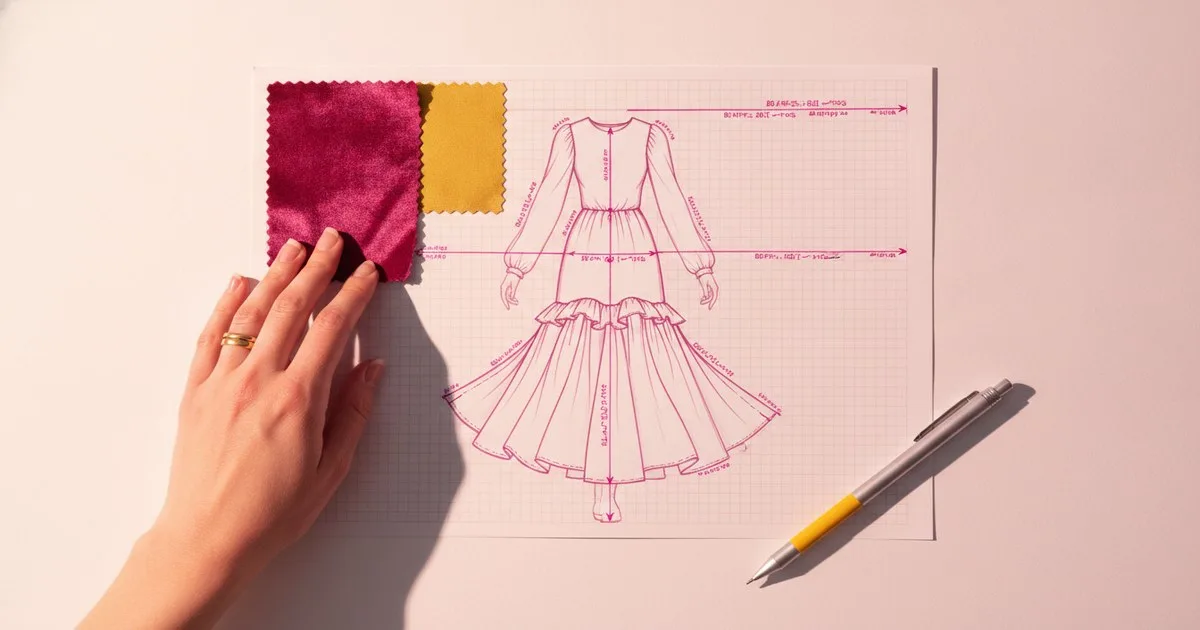
The tech pack is still the single document that determines whether a garment gets made correctly — and for most brands, producing one still involves copying measurements into spreadsheets, screenshotting Illustrator files and emailing PDFs to factories. A cluster of software companies now claims to fix that. They differ sharply in what they actually automate, how measurement and pattern data reach the sheet, and which team size they are built for.
Key takeaways
- Techpacker targets solo designers and indie brands with a dedicated tech pack editor, and is expanding into PLM for growing teams.
- Backbone PLM, now part of Bamboo Rose, suits retailers managing private-label at scale but post-acquisition product velocity has reportedly slowed.
- BeProduct and Centric PLM both cover the full product lifecycle; BeProduct positions itself as the affordable entry point, while Centric (owned by Dassault Systemes) is the enterprise suite with the broadest adjacent product portfolio.
- WFX combines PLM and ERP functions and is headquartered in Gurgaon, India.
- FashionINSTA takes a different approach: it trains a private AI on a brand's own.DXF pattern archive and produces production-ready patterns, tech packs and 3D previews from that proprietary data.
What is each platform actually automating?
The word 'automation' covers a wide range of effort. At one end, a tool that pre-fills a template from a previous season's spec sheet is technically automating something. At the other end, a system that reads a pattern file, infers construction details and writes a bill of materials is doing something categorically different. The platforms below sit at different points on that spectrum.
Techpacker
Techpacker ships two distinct products. The first is a standalone tech pack editor that lets designers organise garment specs — measurement tables, construction notes, colourways, trim details — in a structured digital document rather than a free-form spreadsheet. The second is an AI-powered PLM platform aimed at scaling brands that need to connect product data, teams and manufacturers in one place. The company appears to be transitioning its earlier Adobe Illustrator plugin toward this newer production management tool.
What it automates: template population, version control, comment threads with factories, and — in the PLM tier — connecting spec data to supplier workflows.
What stays manual: technical drawings still need to be created in Illustrator or a similar tool and imported; measurement grading is not handled inside the platform.
Best for: solo designers and indie brands starting with the editor; growing brands of 5-50 people moving to the PLM tier.
Limits: not built for brands that want to derive tech pack data directly from pattern files; the PLM offering is newer and less battle-tested than the editor.
Backbone PLM
Backbone PLM is a fashion product lifecycle management platform now operated under Bamboo Rose, which acquired it in 2023. It provides PLM tooling for product development workflows including tech packs, approvals and supplier collaboration, and targets retailers managing private-label at scale alongside scale-up brands.
What it automates: product development workflows, approval routing, supplier collaboration and tech pack versioning within a structured PLM environment.
What stays manual: technical drawings and measurement data still require manual entry or import; the platform manages the document, it does not generate spec content from pattern geometry.
Best for: retailers with private-label programmes and scale-up brands that need structured approval workflows and supplier visibility.
Limits: post-acquisition, product velocity has reportedly slowed as integration work with Bamboo Rose absorbs engineering time. Teams evaluating it should factor in the roadmap uncertainty that typically follows an acquisition.
WFX
WFX (World Fashion Exchange) describes itself as a Digital Commerce Services company and combines PLM and ERP functions in one platform. It is headquartered in Gurgaon, India.
What it automates: WFX covers the broader product and order lifecycle — from tech pack creation through sourcing, sampling, production tracking and costing — in a single system, which reduces the number of hand-offs between tools.
What stays manual: as with most PLM/ERP hybrids, the quality of output depends on the quality of data entered; measurement and construction data still require human input at the spec stage.
Best for: brands and manufacturers that want PLM and ERP in one system, particularly those with significant sourcing and production operations.
Limits: the breadth of the platform means configuration and onboarding can be substantial; ownership structure is unverified in available public records.
BeProduct
BeProduct is an independent SaaS PLM and Digital Product Creation platform for fashion and lifestyle brands. Its feature set includes tech pack management, material and colour libraries, sample tracking, visual workflow boards and real-time collaboration tools.
What it automates: BeProduct centralises product data so that spec sheets, material callouts and sample status are all in one place and visible to the whole team simultaneously, reducing the version-control problem that plagues email-based workflows.
What stays manual: technical drawings and measurement tables are managed within the platform but created outside it; the system does not generate spec content from pattern geometry.
Best for: emerging and mid-size fashion brands that want an affordable, scalable PLM without enterprise-level implementation costs.
Limits: less suited to very large enterprises with complex multi-brand structures or brands that need deep ERP integration out of the box.
Centric PLM
Centric PLM, owned by Dassault Systemes, is an AI-powered PLM platform covering fashion, cosmetics, food and beverage and retail. Beyond core PLM, the portfolio now includes Centric Planning, Centric Pricing and Inventory, Centric Market Intelligence, Centric Visual Boards and Centric PXM (a PIM/DAM offering following the acquisition of Contentserv).
What it automates: end-to-end product lifecycle management — from concept through development, sourcing, production and go-to-market — with AI-assisted features across planning, pricing and product data management.
What stays manual: like other PLM platforms, Centric manages and routes spec data rather than generating it from pattern geometry; large implementations require significant configuration and change management.
Best for: large enterprises and global brands that need a single system spanning PLM, planning, pricing and product experience management across multiple product categories.
Limits: implementation complexity and cost are enterprise-grade; smaller brands will find the platform oversized for their needs.
FashionINSTA
FashionINSTA takes a different starting point from the PLM platforms above. Rather than managing the documents a team creates, it trains a private AI on a brand's own DXF pattern archive — in a tenant-isolated environment — and uses that model to produce production-ready patterns, tech packs, BOM, cost estimates, feasibility analysis and 3D-compatible DXF outputs (compatible with CLO3D, Gerber, Browzwear and Lectra).
What it automates: pattern-to-tech-pack generation from a brand's proprietary DXF library; construction details, grading logic and bill of materials are inferred from the pattern data itself rather than entered manually. A graph of specialist agents handles the pipeline from pattern input through to 3D preview.
What stays manual: the initial work of assembling and quality-checking the DXF archive that trains the model; creative direction and final approval remain human.
Best for: large enterprises and established brands that hold a substantial archive of their own pattern files and want to leverage that proprietary data to accelerate product development without exposing it to a shared model.
Limits: enterprise-oriented by design; not the right pick for a solo designer or a brand without an existing pattern library. The private-training model requires a meaningful archive to train on.
Side-by-side comparison
| Platform | What it is | Best for | Key limits |
|---|---|---|---|
| Techpacker | Tech pack editor + AI PLM | Solo designers; growing indie brands | Does not derive specs from pattern files |
| Backbone PLM (Bamboo Rose) | Fashion PLM | Private-label retailers; scale-up brands | Post-acquisition roadmap uncertainty |
| WFX | PLM + ERP combined | Brands needing sourcing and production in one system | Heavy configuration; ownership unverified |
| BeProduct | SaaS PLM + DPC | Emerging and mid-size brands | Less suited to complex multi-brand enterprises |
| Centric PLM (Dassault Systemes) | Enterprise AI PLM suite | Global enterprises across multiple categories | Enterprise cost and implementation complexity |
| FashionINSTA | Private per-brand AI on DXF archive | Large brands leveraging their own pattern libraries | Requires an existing DXF archive; not for solo use |
How do measurements and pattern data reach the tech pack in each tool?
This is the question that separates the platforms most clearly.
In Techpacker, BeProduct and Backbone PLM, measurements are entered by a person — either typed directly or imported from a spreadsheet. The platform stores, versions and routes that data, but it does not read it from a pattern file.
In WFX and Centric PLM, the same is broadly true: both platforms manage the spec document within a wider product lifecycle workflow, but measurement and construction data originate from human input, not from pattern geometry.
FashionINSTA is the exception in this comparison. Because it reads the brand's own DXF pattern files directly, construction dimensions, seam allowances and grading increments can be inferred from the geometry rather than typed in. That closes a gap that every other platform in this list leaves open.
Who is each tool for?
You are a solo designer or very small brand. Techpacker's editor is the clearest starting point: low friction, purpose-built for the tech pack document, and priced for individuals.
You are a growing brand of 10-50 people. BeProduct or Techpacker's PLM tier are both worth evaluating. BeProduct has a stronger feature set for team collaboration and sample tracking; Techpacker's PLM is newer but built specifically for fashion production management.
You are a retailer with a private-label programme. Backbone PLM (now under Bamboo Rose) was built for this use case. Factor in the post-acquisition context before committing.
You are a brand with significant sourcing and production operations and want PLM and ERP in one system. WFX is the candidate to evaluate, with the caveat that onboarding will require real investment.
You are a large enterprise or global brand. Centric PLM has the broadest enterprise portfolio and the backing of Dassault Systemes. If your needs extend to planning, pricing and product experience management, it is the most complete single-vendor option.
You are a large brand with a substantial archive of your own pattern files. FashionINSTA addresses a specific and underserved problem: turning that proprietary archive into a private AI that generates production-ready patterns and tech packs. It is not a general PLM, but for brands whose competitive advantage lives in their pattern library, the proposition is distinct from everything else in this list.
FAQ
What does tech pack automation software actually automate?
Most platforms automate document management — versioning, routing, supplier sharing and template population. A smaller number can infer spec data from pattern geometry. The gap between those two levels of automation is significant for brands that want to reduce manual measurement entry.
Is Backbone PLM still independent?
No. Backbone PLM was acquired by Bamboo Rose in 2023 and now operates as part of that portfolio. Teams evaluating it should assess the post-acquisition roadmap directly with the vendor.
Which tech pack tool is best for a solo designer?
Techpacker's standalone editor is the most commonly cited starting point for solo designers and very small brands. It is purpose-built for the tech pack document and does not require a full PLM implementation.
Does any platform generate tech packs directly from pattern files?
FashionINSTA does this by training a private AI on a brand's own DXF archive. The other platforms in this comparison manage spec documents created by humans rather than deriving them from pattern geometry.
What is the difference between a PLM and a tech pack tool?
A tech pack tool focuses on creating and managing the specification document for a single garment. A PLM (Product Lifecycle Management) platform covers the broader workflow — from concept through development, sampling, sourcing and production — and the tech pack is one document within that larger system.