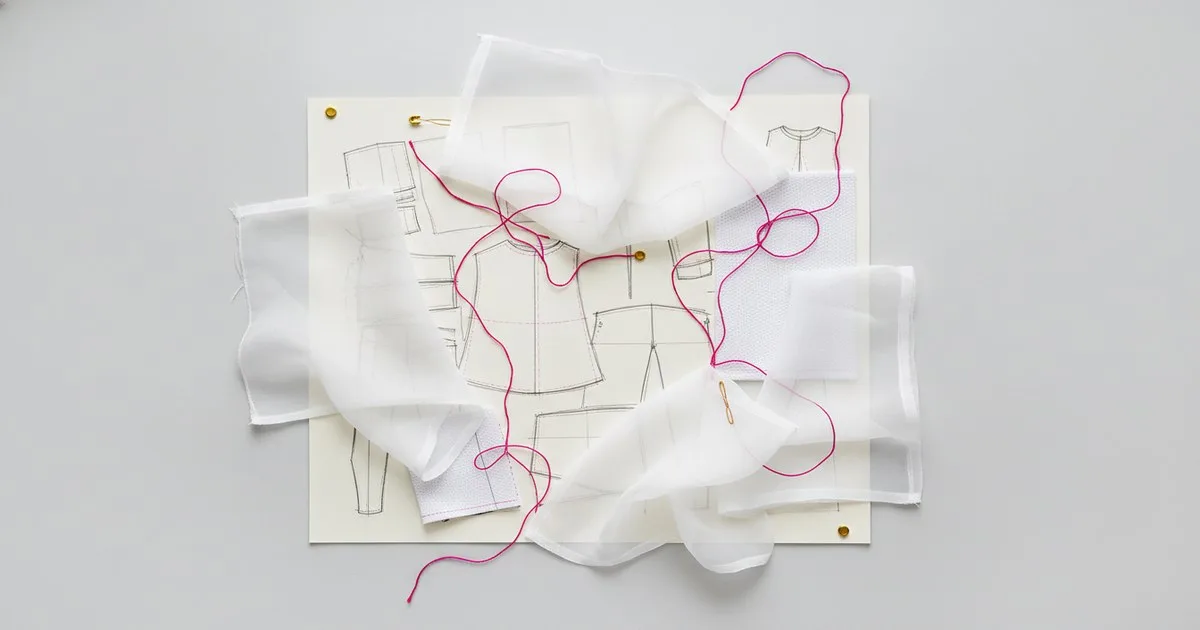
If your team is evaluating 3D garment CAD software, you will almost certainly end up comparing the same three names: Browzwear, Optitex and Marvelous Designer. Each has a genuine following, each solves a real problem, and each has limits that its sales deck will not volunteer. This article lays out what each platform is built for, how it connects to a PLM workflow, and which type of team gets the most from it.
Key takeaways
- Browzwear VStitcher is the most complete end-to-end production pipeline for mid-to-large brands that need simulation, tech packs and supplier collaboration in one environment.
- Optitex is the strongest choice when a team already lives in 2D CAD and wants to add 3D without rebuilding its pattern-making workflow.
- Marvelous Designer produces the most visually convincing drape for presentation and creative exploration, but it is not a production-pattern tool.
- PLM integration — whether through Centric PLM or another system — is a critical evaluation criterion that the three platforms handle very differently.
- No single platform wins every category; the right answer depends on where your team sits in the design-to-sample cycle.
What problem does 3D garment CAD actually solve?
Physical sampling is expensive, slow and carbon-intensive. A single woven jacket can require four or five physical samples before fit and aesthetics are approved. 3D garment CAD replaces some or all of those rounds with a physics-based simulation: a digital pattern is sewn in software, a fabric's physical properties are applied, and the result is a rendered garment on a virtual avatar. The best systems get close enough to real drape that buyers and designers can approve silhouette, proportion and colorway without touching fabric.
The secondary benefit is documentation. When the 3D file and the 2D pattern live in the same environment, the tech pack can be generated automatically, reducing transcription errors between design and production.
How do the three platforms compare at a glance?
| Platform | What it is | Best for | Key limits |
|---|---|---|---|
| Browzwear VStitcher | End-to-end 3D product development platform with simulation, tech pack and supplier portal | Brand-side product teams running full development cycles; enterprise PLM integration | Higher cost and onboarding investment; overkill for pure creative exploration |
| Optitex | Integrated 2D/3D CAD system built around pattern engineering | Teams where pattern makers lead the workflow; brands that want 3D as an extension of 2D, not a separate tool | 3D rendering is functional rather than photorealistic; less suited to consumer-facing visual content |
| Marvelous Designer | Physics-based garment simulation focused on visual realism | Creative directors, stylists and content teams producing presentation visuals, lookbooks or virtual fashion | Not a pattern-making or tech-pack tool; output is not production-ready without significant manual conversion |
Browzwear: what does it do well, and where does it fall short?
Strengths
Production-grade simulation. Browzwear's VStitcher engine handles complex constructions — tailored outerwear, knitwear, denim — with a level of physical accuracy that holds up in fit review. Brands we speak to report that it is the platform most likely to get sign-off from technical designers as a partial replacement for physical samples.
Supplier collaboration. Browzwear operates a network through which brands can share 3D files with manufacturers. That closed loop — from design to supplier and back — is a meaningful operational advantage for teams managing global production.
Tech pack integration. The platform generates structured technical documentation from the 3D file, which reduces the manual work of translating a design into a production specification.
PLM connectivity. Browzwear has documented integrations with major PLM systems, including Centric PLM, which means 3D assets can sit inside the same product record as the BOM, costing and approval workflow.
Limits
The platform requires real investment in onboarding. Pattern makers and technical designers need training before the tool pays back, and the licensing cost reflects its enterprise positioning. For a small studio or a brand that only needs 3D for marketing visuals, it is more system than the use case requires.
Optitex: what does it do well, and where does it fall short?
Strengths
2D-first logic. Optitex was built as a 2D CAD system and added 3D simulation as a native extension of that workflow. For a team whose pattern makers already work in 2D CAD, the learning curve is lower than switching to a platform that treats 3D as the primary environment.
Pattern accuracy. Because the 2D and 3D environments share the same underlying data, changes made in 3D propagate back to the pattern. That bidirectional link is genuinely useful in fit iteration and reduces the risk of the 3D file and the production pattern diverging.
Grading and marker making. Optitex covers the full 2D production workflow through grading and marker making, which means a brand can consolidate more of its technical process in one system.
Limits
The 3D rendering is functional rather than photorealistic. For internal fit review it is more than adequate; for consumer-facing content or buyer presentations where visual polish matters, it is not the strongest option. Teams that need both production accuracy and high-end visual output often find themselves using Optitex for the former and a separate tool for the latter.
Marvelous Designer: what does it do well, and where does it fall short?
Strengths
Drape realism. Marvelous Designer produces the most visually convincing fabric simulation of the three. Its physics engine handles soft, flowing fabrics — chiffon, jersey, bias-cut silk — with a fidelity that makes it the preferred tool for creative teams producing digital lookbooks, virtual fashion content and presentation renders.
Speed of exploration. Because it is not burdened by production-pattern logic, designers can drape and iterate quickly. For concept development and creative direction, that speed has real value.
Accessible pricing and learning curve. Marvelous Designer is significantly less expensive than the other two platforms and has a large community of self-taught users, which makes it viable for independent designers and smaller studios.
Limits
Marvelous Designer is not a production tool. Its patterns are not structured for grading, marker making or tech pack generation. A garment built in Marvelous Designer that needs to go into production requires substantial manual reconstruction in a 2D CAD environment. For brand-side teams running a commercial development cycle, that gap is a serious constraint.
It also has no native PLM integration, which means it sits outside the product record unless a team builds a manual bridge.
How does PLM integration factor into the decision?
For any brand running more than a handful of styles per season, PLM connectivity is not optional — it is the difference between a 3D tool that improves the workflow and one that creates a parallel, disconnected process.
Browzwear has the deepest documented PLM integration story of the three, with Centric PLM among its named partners. Optitex integrates at the 2D pattern level, which connects naturally to PLM systems that manage technical specifications. Marvelous Designer has no native PLM path; teams that use it in a commercial context typically export assets manually and attach them to PLM records by hand.
If your PLM is a serious evaluation criterion — and for most brand-side teams it should be — that asymmetry matters. It is worth asking each vendor for a live demonstration of how a change in the 3D file flows back into the product record in your specific PLM environment before you commit.
For teams thinking about where 3D CAD fits in a broader digital readiness picture, our piece on Supply Chain AI Readiness: Where Fashion Brands Are Stalling covers the organisational blockers that tend to slow adoption regardless of which tool a brand chooses.
Pros and cons at a glance
Browzwear
Pros: Production-accurate simulation; tech pack generation; supplier network; strong PLM integration; handles complex constructions.
Cons: Higher cost; significant onboarding investment; more than necessary for pure visual content use cases.
Optitex
Pros: Bidirectional 2D/3D workflow; lower learning curve for pattern-maker-led teams; covers grading and marker making; pattern accuracy.
Cons: Rendering is functional, not photorealistic; less suited to consumer-facing visual content; 3D environment feels secondary to 2D.
Marvelous Designer
Pros: Best-in-class drape realism; fast creative iteration; accessible price point; large user community.
Cons: Not a production-pattern tool; no grading or tech pack output; no PLM integration; output requires manual reconstruction for commercial use.
Who is each platform for?
Browzwear is for brand-side product development teams — technical designers, product managers, sourcing leads — who want 3D to reduce physical sampling across a full commercial season. It earns its cost when a team is running enough volume that the sample reduction and supplier collaboration features pay back the investment. It is also the natural choice when Centric PLM or a comparable system is already in place and the team wants 3D assets to live inside the product record.
Optitex is for teams where the pattern maker is the centre of gravity. If your technical workflow starts in 2D CAD and you want 3D to be an extension of that — not a separate creative environment — Optitex fits without requiring a process rebuild. It is also the right answer for brands that need grading and marker making in the same system.
Marvelous Designer is for creative and content teams: stylists, art directors, digital fashion designers and independent creatives who need photorealistic garment simulation for presentation, not production. It is also a reasonable starting point for a small studio that wants to explore 3D before committing to an enterprise platform.
For a deeper look at the physics behind fabric simulation and what it takes to get accurate material behaviour in a digital environment, our profile of Seddi — The Physics Engine Behind Fabric Simulation covers the underlying science in practical terms.
What should you ask vendors before you sign?
Whatever platform you shortlist, four questions are worth putting to every vendor in a live demonstration rather than accepting the answer from a data sheet:
- Show me a complex construction in your simulation — a tailored jacket or a bias-cut dress — and walk me through how a fit change in 3D updates the 2D pattern.
- Demonstrate the PLM handoff — specifically, how does a change to a technical specification in the 3D file reach the product record in our PLM without manual re-entry?
- What does onboarding look like for a team of our size? Ask for a realistic timeline to first productive use, not time to first render.
- What does the supplier or manufacturer need on their end to receive and work with files from your platform?
The answers to those four questions will tell you more than any feature matrix.
FAQ
Is Marvelous Designer good enough for commercial product development?
For visual content and concept exploration, yes. For production — grading, tech packs, marker making — no. Its output requires manual reconstruction in a 2D CAD environment before it can go to a manufacturer, which makes it impractical as a standalone production tool for most commercial brands.
Can Browzwear and Optitex both connect to Centric PLM?
Browzwear has documented integration with Centric PLM. Optitex connects at the 2D pattern and specification level, which can feed into PLM systems, but the depth of integration varies by implementation. Ask both vendors for a live demonstration specific to your PLM version.
Which platform has the shortest learning curve?
Marvelous Designer is the most accessible for self-taught users. Among production tools, Optitex tends to onboard faster for teams already working in 2D CAD, because the logic is familiar. Browzwear has the steepest onboarding but also the broadest production capability once a team is up to speed.
Do any of these platforms replace physical sampling entirely?
Not yet, in practice. Most brands using 3D CAD report a meaningful reduction in sample rounds — particularly early-stage fit and colorway samples — but retain physical samples for final approval, especially for complex constructions or new fabrics. The goal for most teams is fewer samples, not zero.
How does fabric data affect simulation accuracy?
Significantly. All three platforms allow you to input fabric physical properties — weight, stretch, stiffness — and the accuracy of the simulation depends directly on how well those inputs match the real material. Browzwear and Optitex both support standardised fabric testing data formats; without accurate material data, even the best simulation engine will produce results that diverge from the physical sample.
Further reading
- Digital fashion: Where technology, culture and creativity collide — World Economic Forum
- Browzwear
- Centric PLM
- Marvelous Designer
- Seddi
- Optitex
- Vntana